Column · @independentyears
What to check when choosing a GPS tracker with fall detection for an older relative
Caring for an older family member who lives alone or spends time out of sight brings a persistent worry: what if they fall and cannot call for help? A GPS tracker with fall detection promises peace of mind, but not all devices work the same way, especially in New Zealand. The technology has improved quickly, yet the market is full of options that look similar on paper and behave very differently in real use. Knowing what to check before buying can save you from a device that sits in a drawer rather than being worn every day.
This article walks through the practical points that matter most for New Zealand families. It is not a list of brand rankings or technical specs. It is a set of real-world considerations that help you match a device to the person who will wear it and the lifestyle they lead.
Fall detection that actually works
The headline feature of any modern senior GPS tracker is fall detection. But there is a wide gap between a device that claims to detect falls and one that does it reliably. Most trackers use an accelerometer and sometimes a gyroscope to sense sudden motion and impact. The problem is that not all falls look the same to an algorithm. A slow slide off a chair or a stumble against a wall can register differently than a hard drop from standing height.
What to look for: a device that lets you adjust sensitivity or that uses multiple sensors to reduce false alarms. A tracker that sends an alert for every sudden movement will exhaust the wearer and the family. One that only catches hard falls may miss the slower, more common slips that older adults experience. Some newer models combine motion data with a brief pause in activity, which improves accuracy. It is worth asking whether the device has been tested on older users, not just on young engineers in a lab.
Battery life that matches daily habits
A GPS tracker is only useful when it has power. Many trackers need charging every one or two days, which is fine for a phone but easy to forget for a device that is not part of a person's routine. For an older relative who is not used to plugging in devices, a short battery life means the tracker will be dead more often than it is alive.
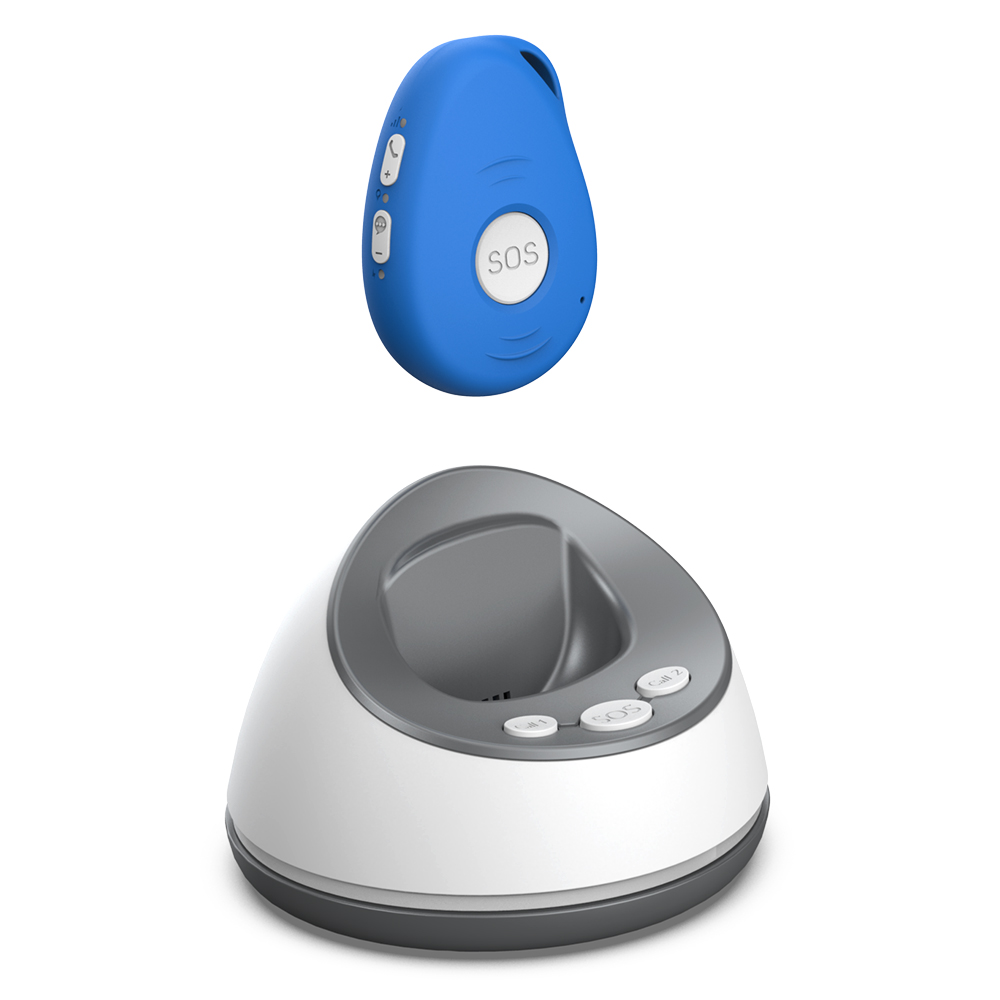
Check the real-world battery life, not just the manufacturer's estimate. A tracker with fall detection and continuous GPS tracking drains faster than one that uses Wi-Fi location or periodic position updates. Some devices last a week or more on a charge if they switch between GPS and Wi-Fi location depending on where the person is. That kind of hybrid approach can make a big difference for someone who spends most of their time at home or in familiar places.
Also consider how the device charges. A magnetic charging cradle is easier to use than a tiny USB port that requires fine motor control. If the wearer has arthritis or poor vision, a fiddly charging method becomes a daily frustration.
Wearing options that the person will actually use
A tracker that stays in a bag or on a bedside table is no help at all. The wearing style matters more than most people expect. Pendants on a lanyard are the most common design, but some older adults find them uncomfortable or unattractive. Wristband-style trackers can look like a smartwatch, which some people like and others find too conspicuous. Clip-on models attach to a belt or pocket and are less noticeable, but they can fall off or be left behind when changing clothes.
The best choice depends on the person's habits and comfort. If they already wear a watch, a wristband might feel natural. If they dislike anything around their neck, a clip-on or a small pendant that tucks inside a shirt could work better. Whatever the form, the tracker should be easy to put on and take off without help. Velcro straps or magnetic clasps are easier than traditional buckles or snaps.
Location accuracy: GPS versus Wi-Fi
GPS gives precise outdoor location, but it struggles inside buildings and in dense urban areas where tall buildings block satellite signals. Wi-Fi location uses nearby networks to estimate position, which can work well indoors but is less accurate. A device that uses only GPS will show the person's location when they are outside, but it may lose them once they step inside a shopping centre or a friend's house.
Look for a tracker that combines both methods. Some devices switch automatically between GPS and Wi-Fi location depending on signal strength, which gives a more complete picture of where the person is at any moment. For a New Zealand family, this matters in cities like Auckland or Wellington where buildings and terrain can interfere with GPS, and also in more rural areas where Wi-Fi networks are sparse and GPS is the primary option.
Another point: how often does the tracker update its location? Continuous tracking drains battery, while infrequent updates may leave gaps. A device that updates every few minutes and also sends an immediate location when an SOS alert is triggered strikes a practical balance.
SOS alert that reaches the right people
Fall detection is one layer of safety; the ability to press a button and call for help is another. An SOS alert should reach the family, not just a monitoring centre that may be far away. Some trackers send an alert to a smartphone app, others call a phone number, and some do both. The key is that the alert goes to people who are nearby and who know the wearer.

Check whether the tracker allows multiple contacts. If the primary caregiver is out of range, a backup contact should get the alert too. Also check how the alert is delivered: a push notification is fast, but not everyone checks their phone immediately. A combination of notification and phone call is more reliable.
The SOS button itself should be easy to press in an emergency. A small recessed button that requires a fingernail to activate is not helpful for someone who is scared or injured. A large, raised button that is easy to find by touch is better. Some devices also have a feature where the wearer can cancel an accidental trigger, which reduces false alarms.
No monthly fees: a practical reality
Many GPS trackers require a monthly subscription for cellular data or monitoring services. Those fees add up over time and can make a device feel like a recurring expense rather than a one-off purchase. For a family on a fixed budget, a tracker with no monthly fees is a significant advantage.
Devices that use Wi-Fi for location and do not rely on a cellular network can avoid subscription costs entirely. Some trackers have a SIM card for GPS data but use a pay-as-you-go model or include data in the purchase price. Before choosing a device, ask whether there are any ongoing costs and what happens if the prepaid data runs out. A tracker that stops working because the data plan expired is not a safety device.
The site familyr.co.nz offers a tracker that fits this model: no monthly fees, with GPS and Wi-Fi location, fall detection, SOS alerts, and two-way communication. That structure removes the financial uncertainty that comes with subscriptions and keeps the device active as long as it is charged.
Two-way communication: a feature that makes a difference
An alert tells you something happened, but it does not tell you what. Two-way communication lets you speak directly to the wearer through the device, which can calm a situation and help you understand what is needed. If the person has fallen but is conscious, you can ask if they are hurt and whether they need an ambulance. If the alert was a false alarm, you can reassure them without rushing over.
Look for a tracker with a speaker and microphone that are clear enough for a conversation. Some devices have poor audio quality that makes speech hard to understand, especially for someone who speaks quietly or has an accent. A simple, loud speaker and a sensitive microphone matter more than extra features you will not use.
Mobile coverage across New Zealand
New Zealand's mobile networks vary in coverage, especially outside the main centres. A tracker that relies on a single network may lose signal in rural areas or on long road trips. Check which mobile networks the device uses and whether it supports roaming between them. Devices that use the Spark or Vodafone networks, for example, may have different coverage patterns. If the older relative travels frequently or lives in a regional area, a tracker that works on multiple networks is more reliable.

Also check whether the device works in Australia or other countries if the person travels abroad. Some trackers are locked to New Zealand networks and will not function overseas.
Putting it all together
Choosing a GPS tracker with fall detection for an older relative is a decision that balances features, usability, and cost. The best device is the one that the person will wear consistently, that stays charged, and that alerts the right people when something goes wrong. Focus on fall detection that matches their typical movement patterns, battery life that fits their daily routine, a wearing style they find comfortable, and a location system that works where they spend their time. Avoid subscriptions that add ongoing cost and complexity. Two-way communication and reliable mobile coverage round out the package.
Every family's situation is different, but the checklist above covers the common pitfalls. Take the time to involve the wearer in the choice. A device chosen together is far more likely to be used than one that arrives as a surprise. And if you want to see how one tracker puts these pieces together without monthly fees, the site familyr.co.nz shows a practical example that matches the needs of many New Zealand families.